
Moon

March 8, 2026

๐ŸŒป You're Not Really a Coder Anymore โ€” You're a Context Curator

The preparation IS the work now. Claude's context window is the constraint that governs everything.

Alex Tongยท7 min read

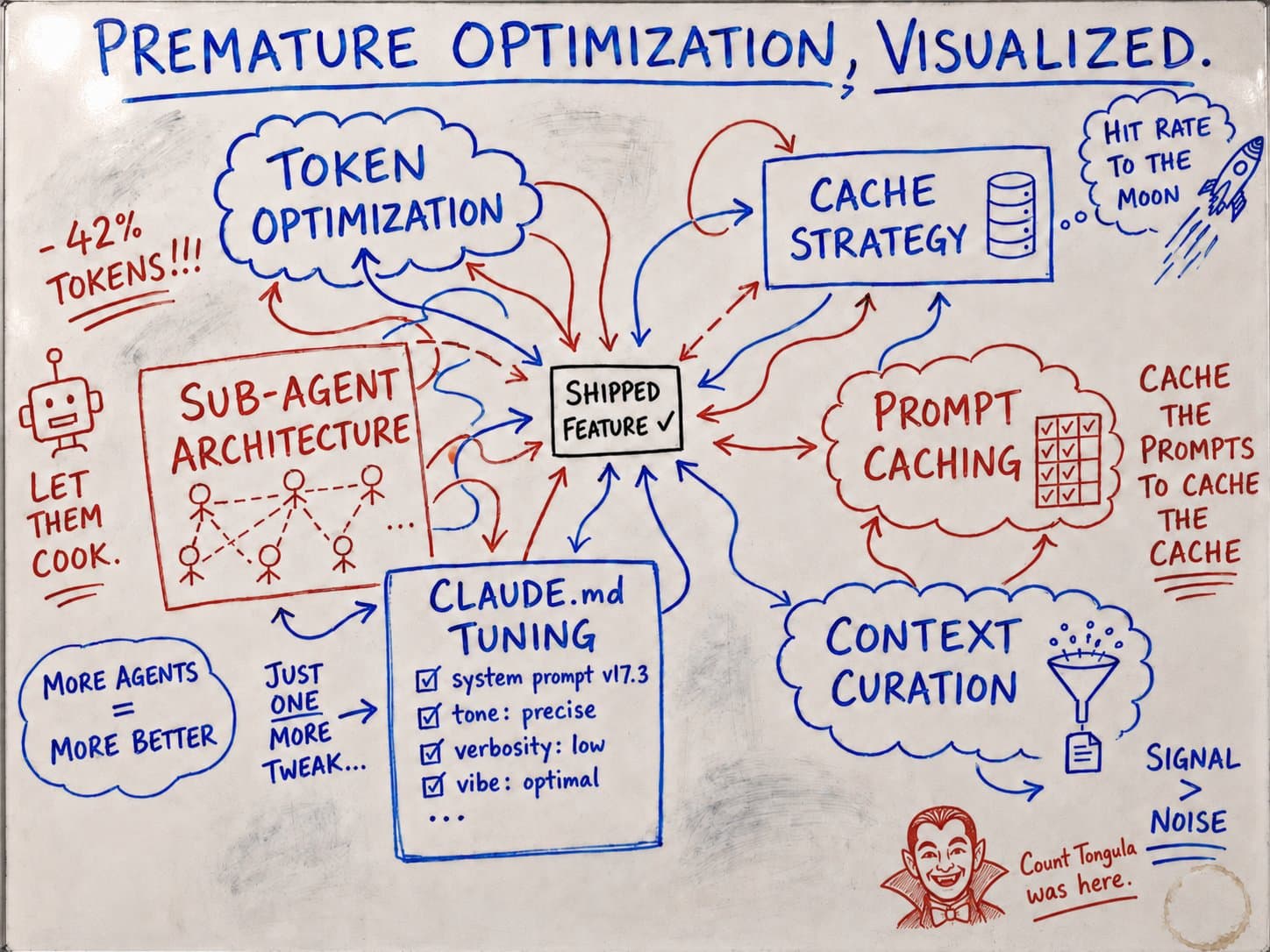
I've been using Claude Code heavily at work for a large-scale migration โ€” rewriting and rearchitecting an entire repo from the ground up. And the single biggest lesson I've learned isn't about prompting tricks or model settings or temperature or special subagents (although those are awesome) or whatever else people are obsessing over on Reddit or X.

It's this: the preparation IS the work now.

Not writing the code. Not debugging the code. Not even reviewing. The actual engineering work โ€” the thing that determines whether Claude one-shots your ticket from the start or hallucinates straight AI garbage โ€” is how well you prepare before Claude writes a single line.

If you prepare well, Claude will understand it and probably nail it first try. If you don't, you'll spend three hours fighting with an AI that's over-confidently building the wrong thing.

We're Context Curators Now

Here's how I think about it. Engineers using Claude Code aren't really "writing code" anymore โ€” at least not in the traditional sense. We're curating context.

Think of it like air traffic control. An air traffic controller doesn't fly the planes. But every plane in the sky depends on them to land safely. They're sequencing โ€” which plane goes first, which one holds, which runway is clear. They're routing โ€” sending each aircraft exactly where it needs to go based on conditions that are constantly shifting. They have a constrained space (the airspace) and if they overload it, things will collide. The skill isn't in the flying. It's in the coordination.

That's what we're doing with Claude Code. The "flying" โ€” the implementation โ€” Claude handles that. But you're the one deciding what context to load, what files to point it at, what order to tackle things in, and what constraints to set. You're managing a constrained space (the context window) and sequencing work so nothing collides. And if your sequencing is wrong, the whole thing falls apart โ€” doesn't matter how capable the aircraft are.

Every technique I'm about to share is really just a strategy for curating better context. Because Claude's context window is the constraint that governs everything.

Why Context Is The Constraint

Most best practices with Claude Code come down to one thing: Claude's context window fills up fast, and quality degrades as it fills.

The context window holds your entire conversation โ€” every message, every file Claude reads, every command output. A single debugging session can eat tens of thousands of tokens. When the window gets full, Claude starts "forgetting" earlier instructions and making mistakes. It drifts. It starts inserting default values you never asked for. It ignores rules you set at the beginning of the session.

So every technique here is about managing that constraint. You're not just writing prompts โ€” you're deciding what information Claude needs, what it doesn't, and in what order it should receive it. Think of it like delegating to a colleague: you wouldn't dump your entire life story on them to help them out with a ticket. You'd give them exactly the info they need for the specific task at hand.

Do One Thing at a Time

Claude gets confused when tasks aren't extremely scoped. And I mean extremely. This is what leads to hallucinated code โ€” Claude will jump through hoops and make wild assumptions just to get you to something that looks like a final product.

One task per prompt. One major change per PR.

Instead of migrating everything at once, build your skeleton first, and migrate bone by bone. One task, one prompt, one PR. It sounds slow. It's actually way faster โ€” because each one lands clean.

This matters beyond just code quality too. PR reviewability โ€” your PRs should always be scoped to one major thing. QA testing โ€” how will QA test anything if PRs aren't isolated to a single change? Debugging โ€” when something breaks, you know exactly which change caused it.

Smaller, targeted context = better results. That's a direct consequence of the context window constraint. The less noise Claude has to parse, the more accurate its output.

Start With a Spike

Before you build all the tooling and registries and prompt generators โ€” before you systematize anything โ€” do one full task end-to-end with Claude manually.

Just one. Start to finish. No shortcuts.

That first rep is where you learn everything. Where does Claude struggle? What context does it actually need? Where does it make assumptions? What does the "happy path" look like when it goes right?

For our repo migration, the first task we migrated was messy. Took way longer than it should have. But it taught us exactly what Claude needed to succeed โ€” which files to reference, what order to build dependencies in, what instructions to put in our repo's CLAUDE.md. Every task after that was dramatically faster because we'd done the spike first.

Once you've done one successfully and you're sure it's correct, that becomes your reference pattern. Document it. Point Claude at it. Now you have a concrete example instead of an abstract spec โ€” and example-driven prompts produce more consistent results than spec-driven ones every single time.

Map Your Dependency Chains

Instead of asking "migrate function X from engine A to engine B," first ask: what does engine B need for this to happen?

This sounds obvious but almost nobody does it upfront. They just throw the task at Claude and wonder why it produces tangled code.

For our migration, to move any function, the new engine first needs all dependencies. You have to build those first. If you don't, Claude will either error out or โ€” worse โ€” silently stub things out with placeholder implementations that look right but do nothing.

Build the entire skeleton of an epic first, then chip away at it incrementally. Follow the "You Aren't Gonna Need It" (YAGNI) principle โ€” only implement what's necessary for the current step. Don't let Claude get ambitious.

And here's a subtle one that bites people constantly โ€” tell Claude which layer something belongs in. Explicitly. If your architecture has distinct layers, Claude needs to know which one it's working in, or it'll write duplicate logic across layers. "Should the system check if a user is authenticated in layer A itself, or layer B?" If you don't specify, Claude will guess. And it will guess wrong without proper context.

Document Patterns โ€” Especially the Mistakes

Once your spike works, lock it in as a reference pattern. Include the file path with line numbers so Claude can read the actual code rather than relying on your description.

But don't just track what works โ€” track what went wrong. If you're doing repetitive work, use CLAUDE.md or a separate doc that CLAUDE.md points to (saves on context on each call), to record mistakes and how to avoid them. Counter-intuitive behaviors, one-off exceptions, anything that goes against the general architecture โ€” document it. If you don't, Claude will follow the wrong pattern and you'll debug the same issue three times.

When Claude makes a mistake, have it update its own rules so it doesn't repeat it. Over time, your CLAUDE.md + other docs, become institutional memory โ€” a compounding record of lessons learned.

A Few Quick Tips That Don't Need Their Own Section

Separate thinking from doing. Don't ask Claude to plan and implement in the same prompt. Ask it to plan first always โ€” output a plan, not code. Review the plan. Then tell it to execute. Claude Code has a plan mode for exactly this reason. And when things go sideways during implementation, don't keep pushing forward โ€” go back to plan mode and re-plan from scratch. A fresh plan consistently beats incremental patching on a broken implementation.

Know when to reset. Long sessions degrade in quality. When Claude starts doing weird stuff โ€” inserting defaults you didn't ask for, ignoring constraints you set โ€” it's cheaper to start a fresh session with a clean prompt than to keep fighting a degraded context window. This is another reason well-scoped tasks matter: if your prompts are self-contained, starting fresh is painless.

When NOT to Over-Prepare

These techniques are for complex, multi-session, multi-file work. Don't over-apply them.

If the task fits in one prompt and one PR โ€” a one-line bug fix, a simple function addition, a config change โ€” just do it directly. Not every single task needs a dependency chain, a skeleton and a reference pattern.

The right question is: "Will Claude need more context than fits cleanly in one session?" If yes, prepare. If no, just ask.

The Bottom Line

The shift is real. Writing code is no longer the bottleneck โ€” curating the right context is. The engineers who are getting the best results with Claude Code aren't the ones writing the cleverest prompts. They're the ones who prepare so well that Claude has no room to misinterpret.

Break the problem down. Scope the task. Give Claude exactly what it needs โ€” nothing more, nothing less. And if/when things get messy, kill the session and start fresh with a better prompt.

The code writes itself now. Your job is to make sure it's writing the right thing.

I've been a software engineer for ~5 years, currently using Claude Code extensively in production settings. These are lessons from real production work, not theoretical predictions!

Enjoyed this? Get the next one in your inbox.

Subscribe โ†’